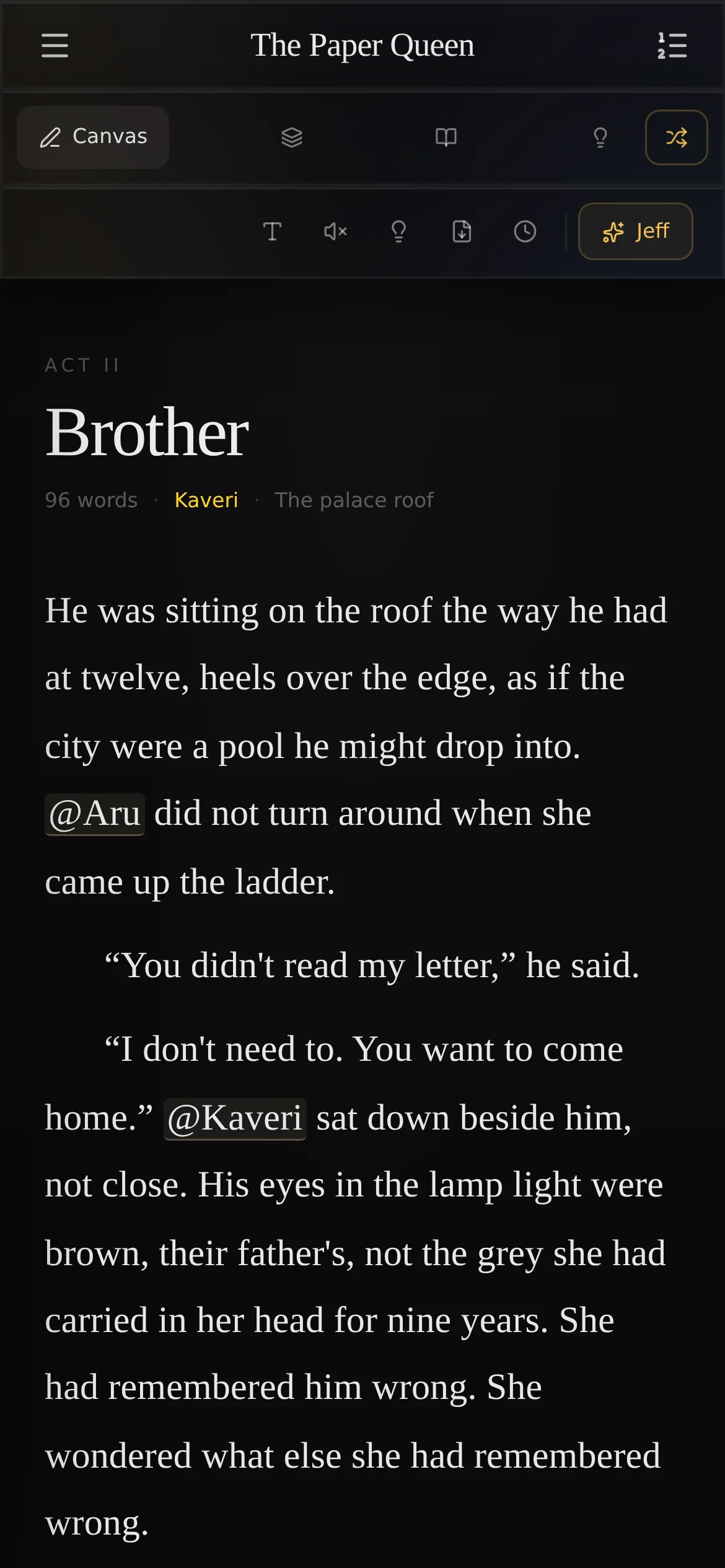
Canvas
The page
Four writing modes, from a normal editor to Zenith, where everything but the sentence disappears.
Features
Six rooms, one story underneath. Each room knows what the others know, so you can stop holding the whole book in your head (and in three notebooks, a notes app and that one napkin).
The rooms
Canvas
Four writing modes, from a normal editor to Zenith, where everything but the sentence disappears.
Study
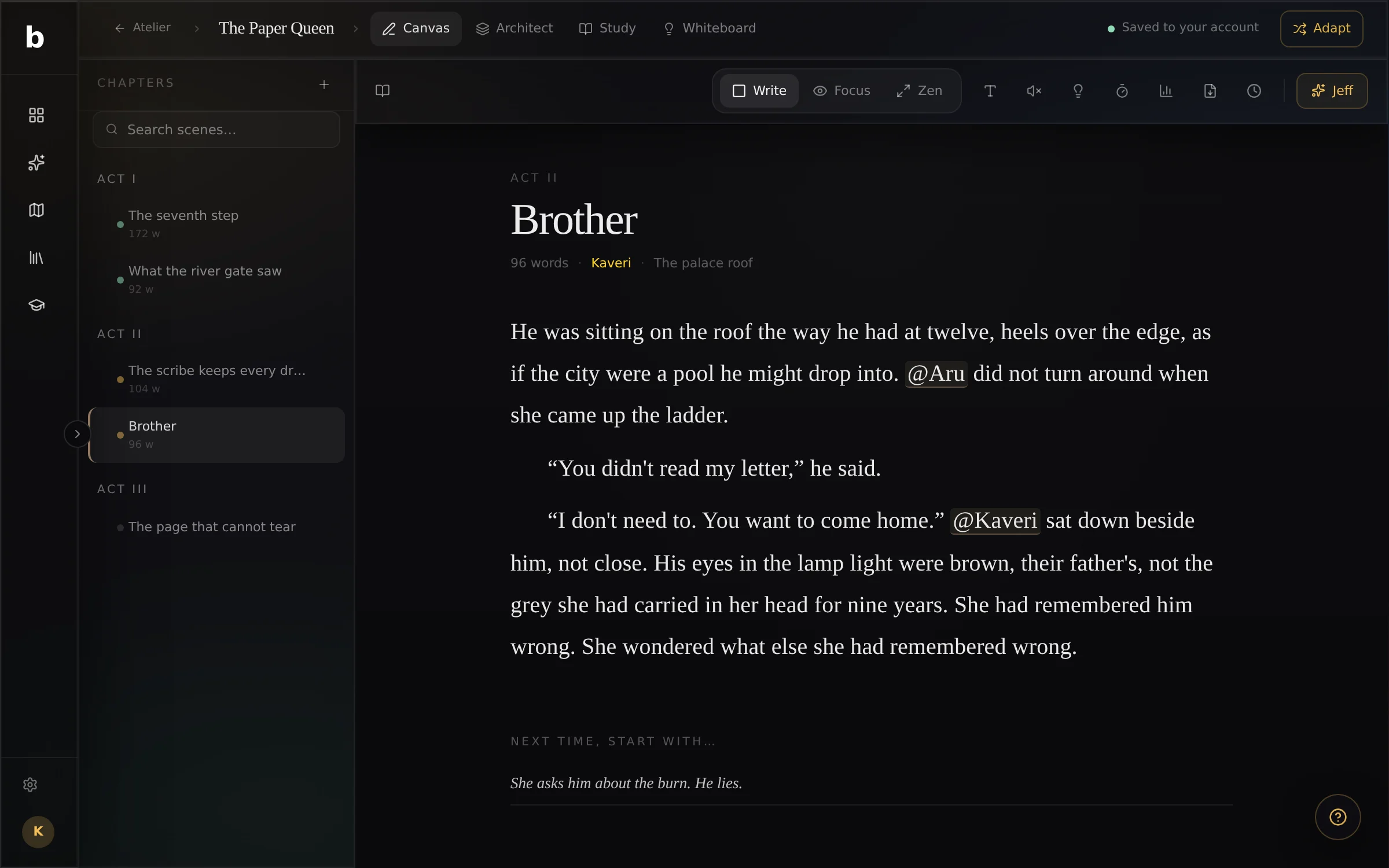
Characters, places, rules and factions. Type @ in the page to bring any of them into a sentence.
Architect
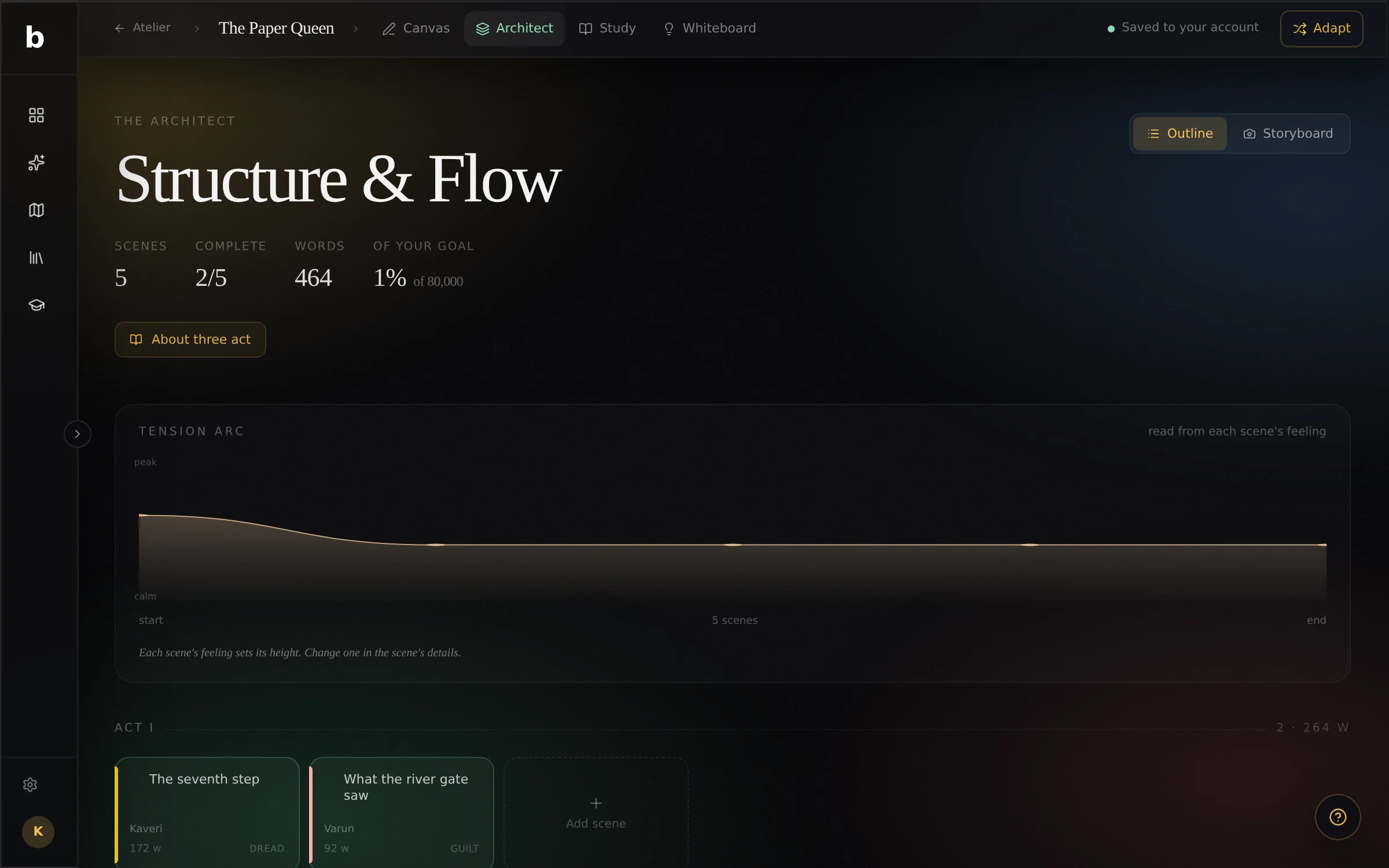
Scene cards by act, with point of view, place and mood. Storyboard frames and a tension graph.
Compose
From a messy idea to a first draft, one guided step at a time.
Whiteboard
A free canvas for maps, family trees and the things that don’t fit in a list.
Atelier
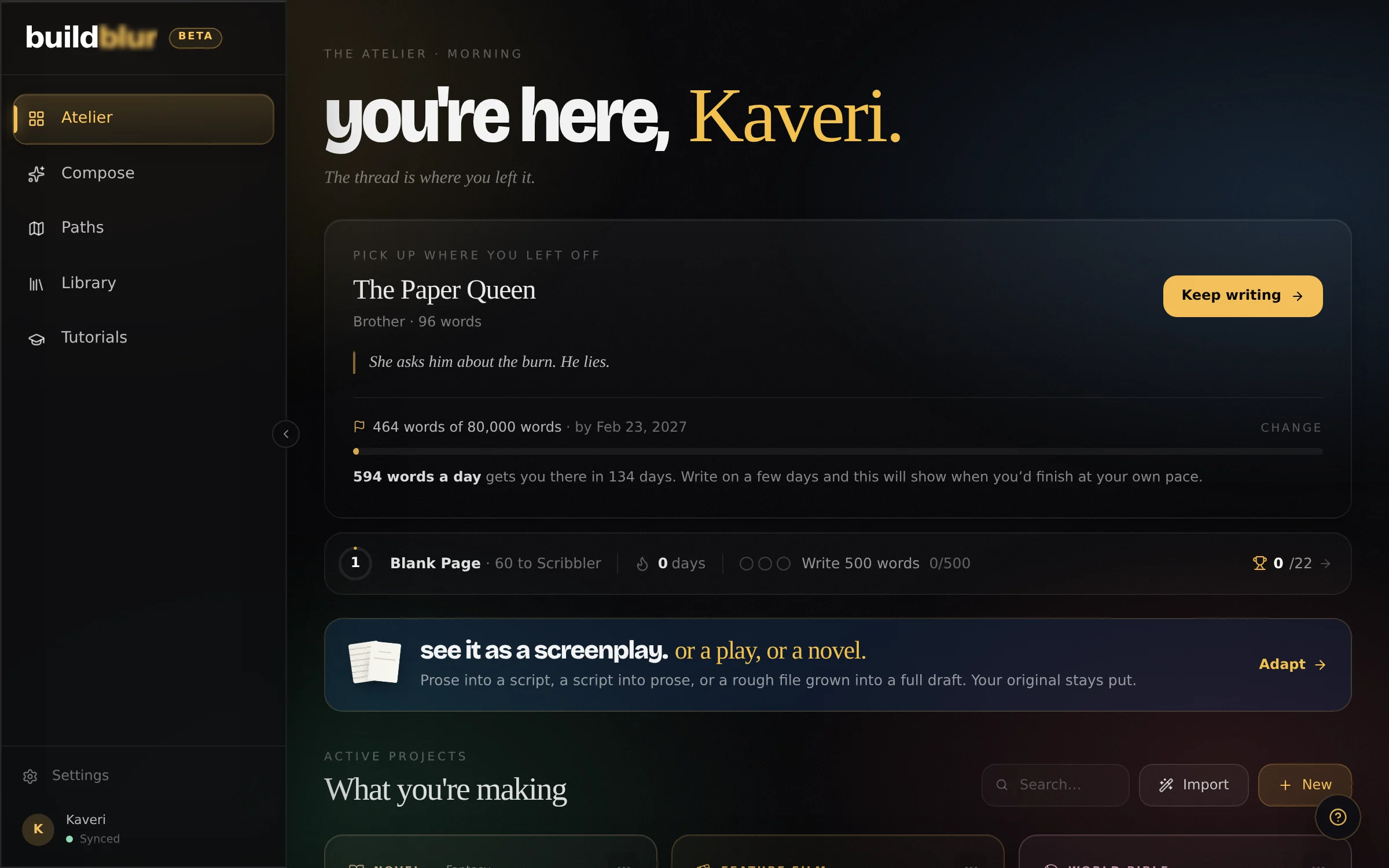
Every project, where you left off, and a finish line that tells you what today needs.
New · Adapt
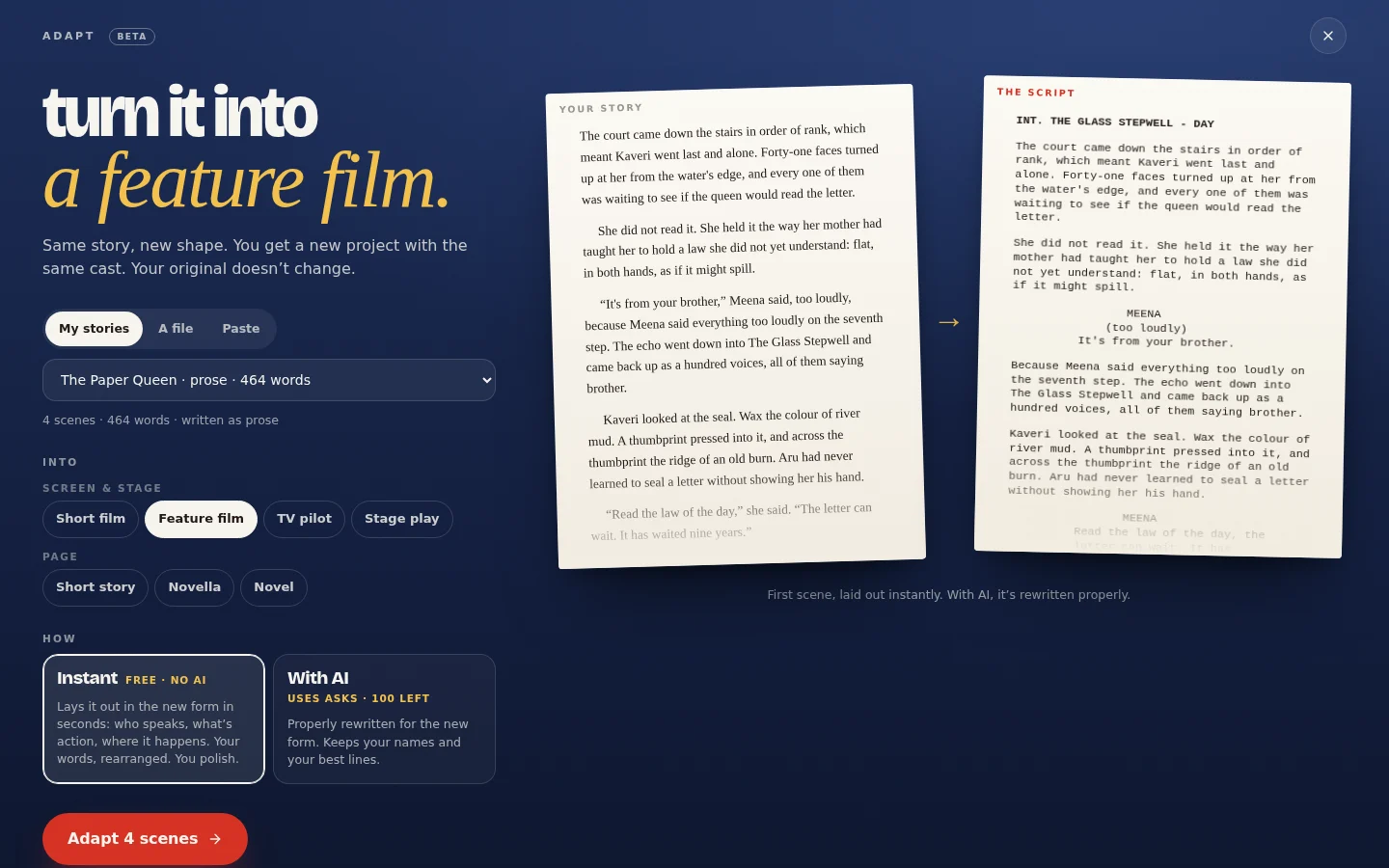
Turn a novel into a feature, a short film, a pilot or a stage play. Or turn a script back into prose. Scene by scene, with the whole cast copied over.
Instant lays it out in seconds, for free: who speaks, what’s action, where each scene happens, in your own words. With AI does a proper rewrite for the new form, and won’t invent anything that isn’t in your story.
It always makes a new project. Your original stays exactly as it was.
The explainer
From signing in to the last page: your first project, @names, a question when you’re stuck, a caught contradiction, the wall, a script, and the record that you wrote it.
01 · Canvas
Standard, Focus (only the paragraph you’re in is lit), Typewriter (the line stays centred) and Zenith (nothing on screen but words).
Manuscript, editorial and screenplay typesetting, with twelve typefaces. Eight soundscapes made live in the browser, from a rainy café to a night train.
Every scene keeps its own history. Name a version, or let the page save one for you, and go back to any of them.
02 · The world
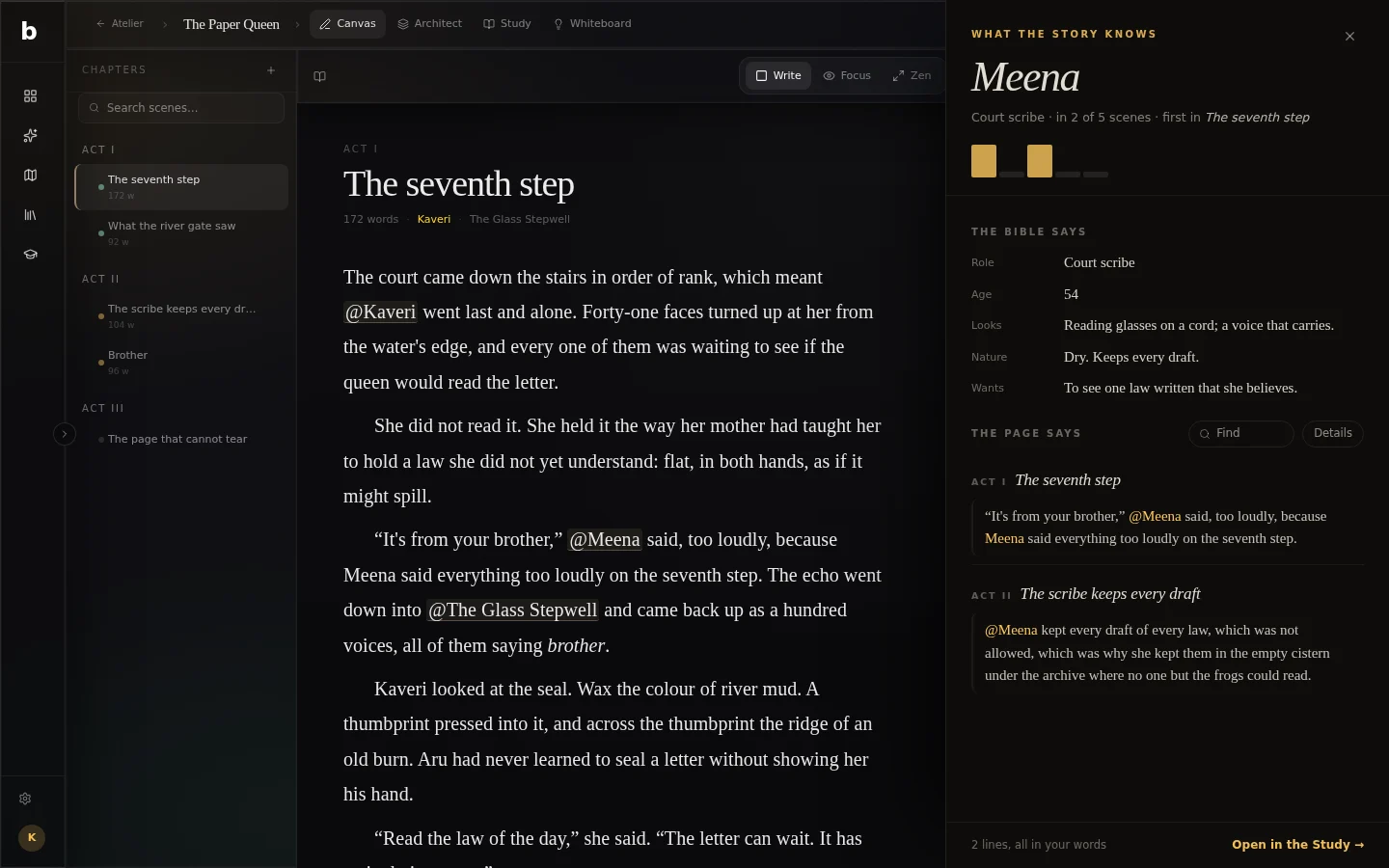
Type @ and pick a character or a place. The name in your sentence stays linked to her: tap it to open her page.
Names you keep using that aren’t in the world yet show up under the page as out of focus. One tap makes them real.
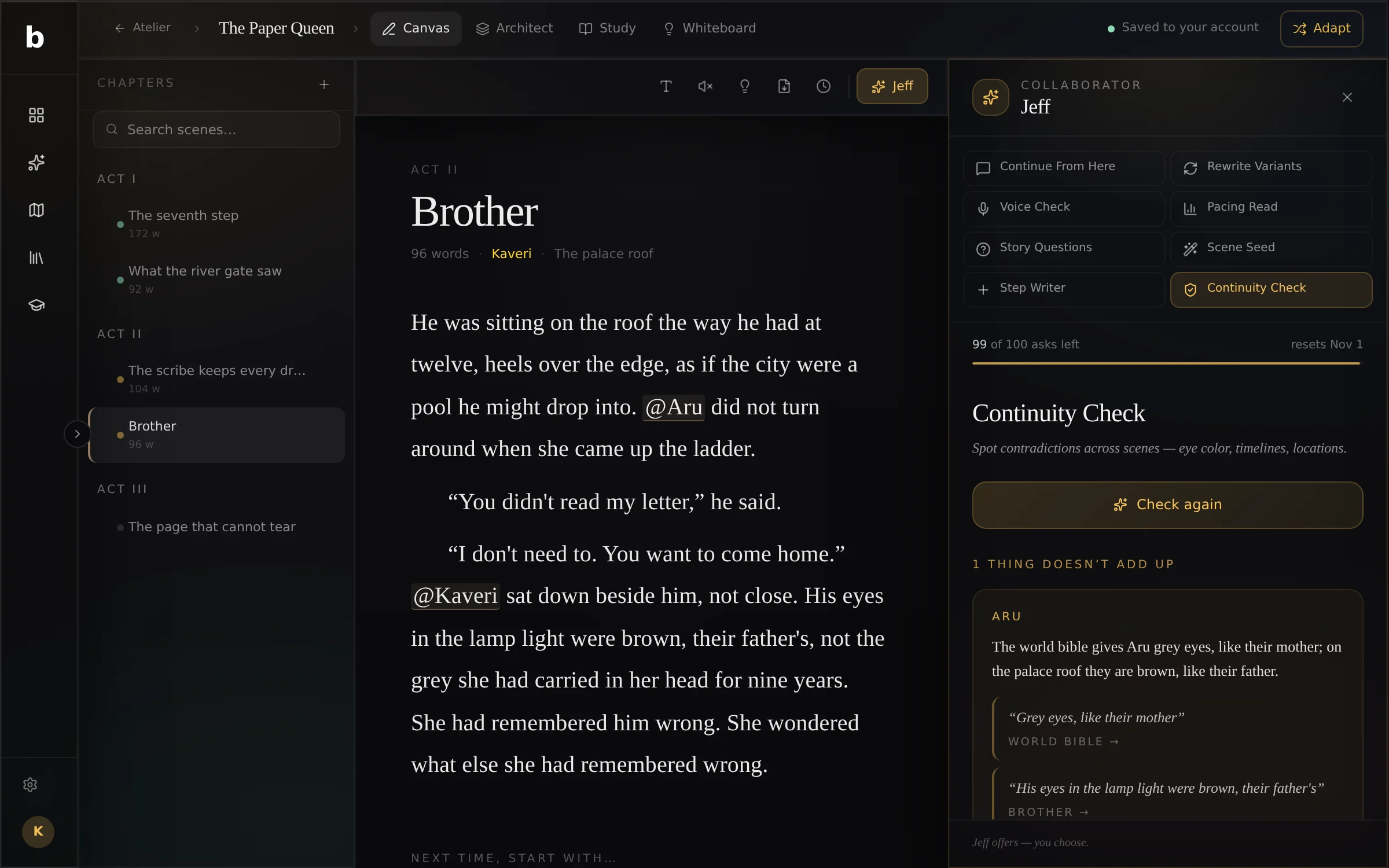
The continuity check reads what the page says about each of them, scene by scene, and quotes the two lines that disagree.
Aru’s eyes are grey in his page and brown on the roof. The continuity check finds it and quotes both lines, each one a tap from the scene it’s in.
It only reports what it can quote from your own pages, so it can’t invent a problem.
Tap @Aru and a panel opens beside the page: what the bible says about him, then every line the manuscript says, scene by scene. Tap a line to go straight to it.
A strip of bars shows which scenes he’s in, and quietly mentions when he’s been missing for a while. Detective work, minus the corkboard and the red string. No AI, no credits: it just reads your words.
03 · Structure
Pick a structure when you start and the scenes lay themselves out. Change your mind later; the cards move.
Three-Act, Save the Cat, the Hero’s Journey, Dan Harmon’s Story Circle, the Snowflake Method, the Romance Beat Sheet, the Pixar Story Spine and Five-Act. Each one says what it’s for and which books and films use it.
Feature film, long-form feature, and drama and comedy TV pilots.
Blank Canvas starts with one empty scene, for people who find the shape by writing.
04 · Jeff, the crew
Jeff is the built-in AI. Nothing lands on your page unless you put it there, and every ask carries your voice and the facts of your world, so it doesn’t invent a new eye colour.
Three ways the next paragraph could go.
Tense, lyrical and sparse versions of a passage.
Does this dialogue sound like the person saying it?
Where a scene drags, rushes or goes flat.
Plot holes, unmotivated choices, dropped threads.
Contradictions about your characters and places, quoted line by line.
Setup, beats and exit when you know the goal but not the shape.
Five small prompts so you write the next paragraph yourself.
05 · Finishing
Set a length and a date. Every day Buildblur tells you what today needs, and when you’d finish at the pace you’re really keeping. Gently. It’s maths, not a lecture.
Projects reopen on the scene you left. Leave yourself one line (“next time, start with…”) and tomorrow starts easy.
Levels, streaks, badges and three small quests a day. Points for writing, not for pasting. Every badge.
A timer for the days you need a clock. Finish one and there’s a badge in it.
Paths and Tutorials teach real craft, then hand you a project to try it on.
06 · In and out
Word (.docx), Final Draft (.fdx), Fountain, Markdown and plain text, split into scenes for you.
PDF, EPUB, Markdown, plain text, Final Draft and Fountain, whenever you like.
Everything is saved to your account as you type, and opens on every device you sign in on. One button also backs up every project as a single file.
A read-only share link for one project, when you choose to make one.
The authorship record counts what you typed, pasted or kept from the AI.
Free during the beta. Sign in with Google, open it and type. Saved to your account.