For world-builders
the world, inside the page.
Most world-building apps keep the world in one place and the story in another. In Buildblur they are the same place.
a bible you actually use.
- 01
Characters
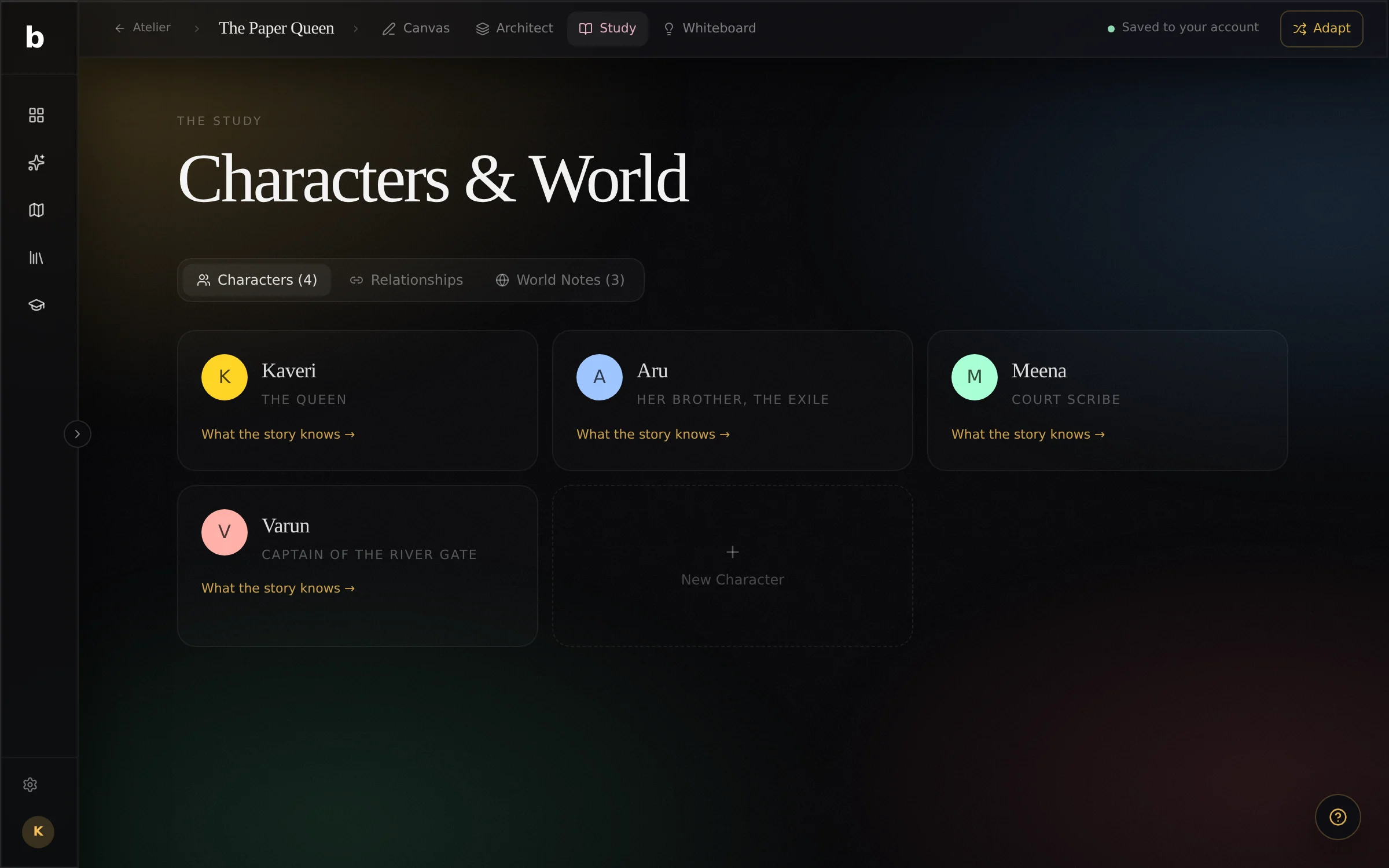
Role, age, appearance, personality, backstory, what they want, their arc, how they talk, and who they are to each other.
- 02
The world
Notes for settings, history, cultures, rules and factions.
- 03
Typed into the prose
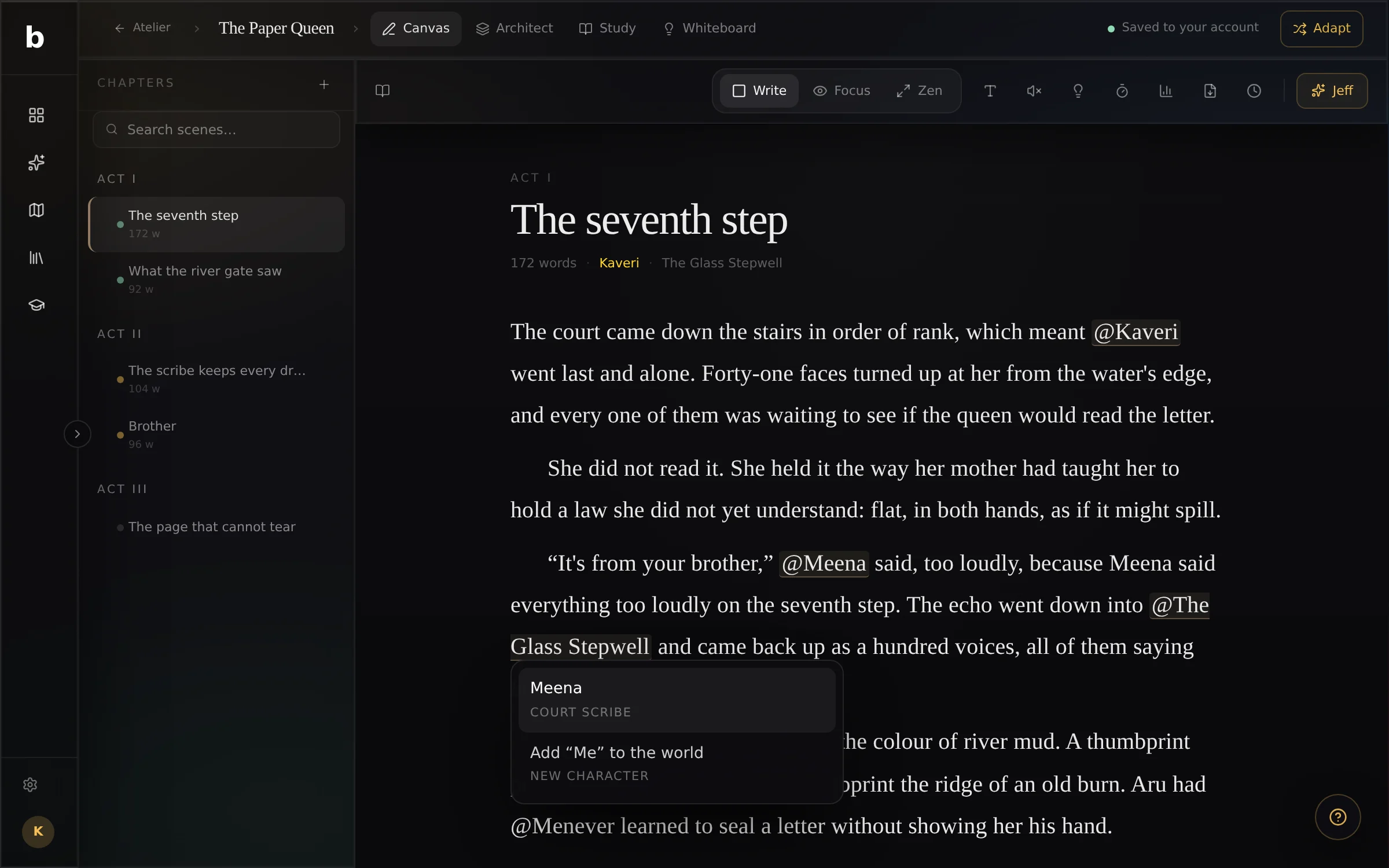
Write @ and pick one. The name stays linked in the sentence; tap it to open the page.
- 04
Found for you
Names you keep using that aren’t in the world yet appear under the page, one tap from being real.
Characters and world, side by side.
The Study holds everyone and everything. The Whiteboard holds the maps and family trees that don’t fit in a list.
Type @, and the world answers.
The picker follows your caret. Choose a name and it stays linked in the sentence; type one that isn’t there yet and it offers to add it.
Continuity
the world keeps the story honest.
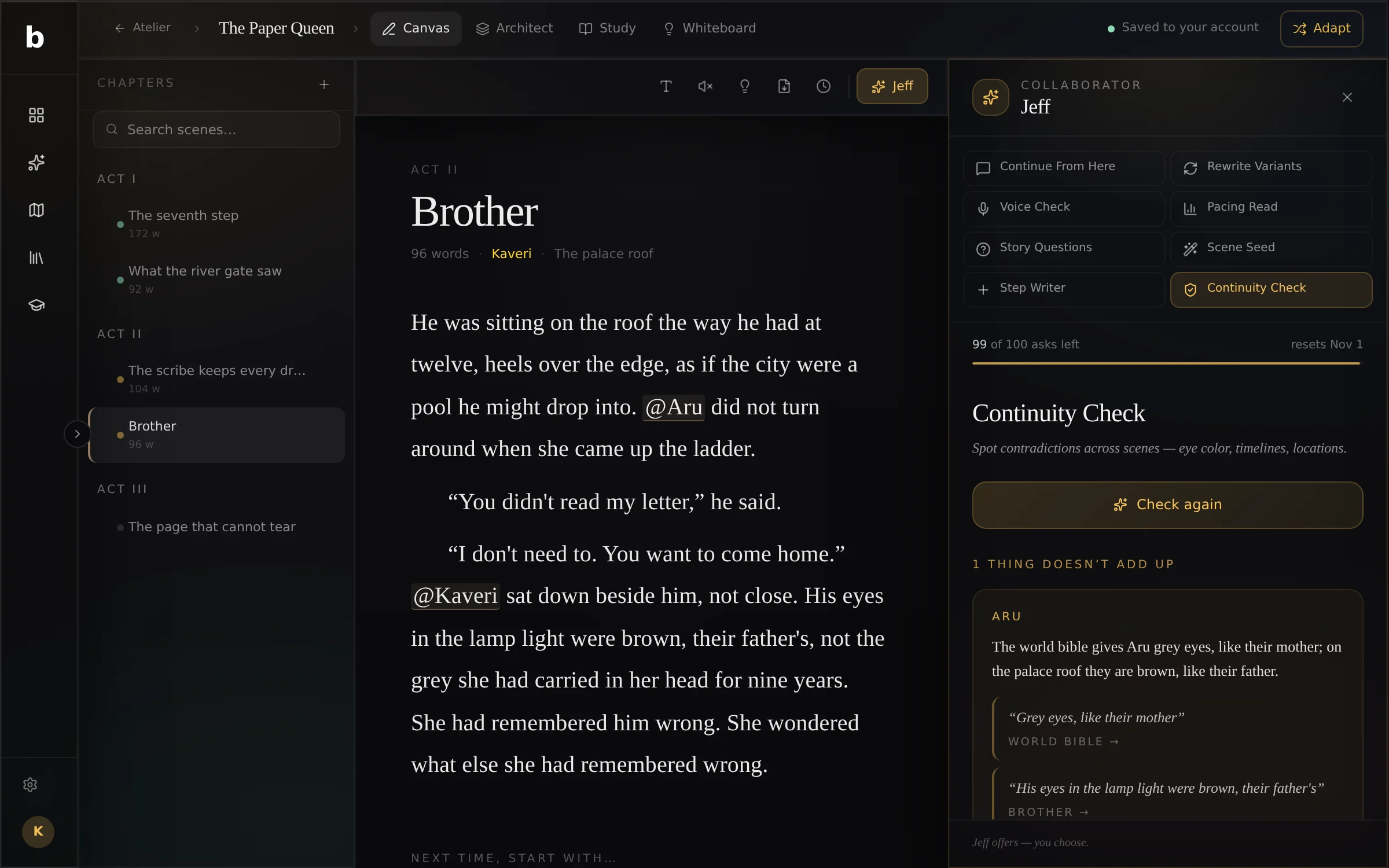
Grey eyes, then brown.
The continuity check reads what every scene says about each character and place, and quotes the two lines that disagree.
World Bible projects
sometimes the world is the project.
Start a World Bible project for a setting you’ll write many stories in, or for a game, a series or a pitch. It gets its own structure: history, geography, the rules of magic or science, cultures, factions, belief, languages and more.
In November
thirty days, thirty truths.
The November draft has a world track: one place, one rule and one person a day, and a bible at the end of the month.
build the world you keep describing.
Free during the beta. Sign in with Google, open it and type. Saved to your account.